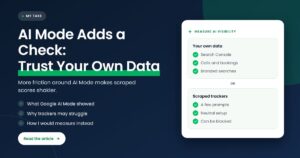

Quick answer: Some Google AI Mode users have seen a prompt asking “Continue with this search?” with a warning that malicious queries could cause harmful actions. Google hasn’t explained it. My take: it looks like more friction and verification around AI Mode, so businesses should measure AI visibility with their own data, not trust any single scraped tracker.
Key takeaways
- My position: as Google adds checks around AI Mode, scraped AI visibility numbers get less reliable, and your own data (Search Console, calls, bookings) gets more valuable.
- Search Engine Roundtable reported on November 6, 2026 that some AI Mode users saw “Continue with this search?” plus the line “Malicious queries could result in unsafe or harmful actions.”
- It was spotted by Damien Andel and shared on X. Google has not made a statement, and it appears to be a test seen by some users, not a full rollout.
- Barry Schwartz’s own guess was that it could encourage more searching, or help block bots and scrapers. Both are speculation.
- It follows two earlier tests reported in 2026: a “sign in to verify you’re a human” prompt in August and a delayed “Continue” button in September.
- Google’s spam policies already say scraping results for rank-checking without permission breaks its rules. Tools that scrape AI Mode are working on borrowed time.
What did Google AI Mode show searchers?
Some people using Google AI Mode saw a screen asking “Continue with this search?” before their search ran. Under it was a warning: “Malicious queries could result in unsafe or harmful actions.” The screen then showed the query waiting to be continued. It looks like a confirmation step that sits between the searcher and the AI answer.
Barry Schwartz at Search Engine Roundtable reported it on November 6, 2026, after Damien Andel shared screenshots on X and asked whether the warning was new. Damien said he had tapped a trending topic in a Google app widget, which took him into AI Mode, and the prompt appeared before the search ran. The query in his screenshot was a question about why a news story was trending.
Barry doubted the tap itself caused the prompt. His reading was that it appeared when Damien came back to AI Mode and Google offered to continue a recent search. That detail matters: the prompt may be tied to resuming a search rather than to every new query. Google hasn’t commented, so nobody outside Google knows the trigger for sure.
What does “Continue with this search?” mean in AI Mode?
“Continue with this search?” is a confirmation prompt that asks the searcher to approve a query before AI Mode runs it. The attached warning about malicious queries suggests Google wants a human to confirm searches that could lead to actions, not just answers. It is not a penalty, a ranking change or a setting a business can control.
The wording is the interesting part. “Unsafe or harmful actions” is not language you’d expect for a plain list of blue links. It reads like language for a system that can take actions, not just show links. A confirmation step is the kind of guardrail I’d expect when an AI system might act on what someone types.
Why might Google be adding this prompt?
Nobody outside Google knows, and Google hasn’t said. The reasonable guesses are safety around actions AI Mode can take, slowing down bots and scrapers, keeping people searching, or simply confirming a resumed search. These can all be true at once. I’d treat every one of them as speculation until Google explains the test.
| Possible reason | What points to it | What we don’t know |
|---|---|---|
| Safety around AI actions | The warning talks about “unsafe or harmful actions” | Which queries trigger it, and why this one did |
| Blocking bots and scrapers | Barry’s guess, plus Google’s earlier human-verification tests in 2026 | Whether it is aimed at automated traffic at all |
| Keeping people searching | Barry’s other guess: more searches could mean more ads shown | Any evidence beyond the prompt itself |
| Resuming a recent search | Barry’s reading of how Damien reached the prompt | Whether new searches ever see it |
My opinion, and it is only that: the safety wording and the bot-blocking idea fit together. A system that can take actions has every reason to make sure a person, not a script, is asking. Whatever the main motive, the result is the same for anyone who relies on automated access to AI Mode: more steps between the query and the answer.
How does this fit Google’s wider push to verify humans?
It fits a pattern. In 2026 Search Engine Roundtable has reported several Google tests that check whether a searcher is human before showing results. One asked people to sign in, another added a delayed “Continue” button. The AI Mode prompt is different in wording, but it adds the same kind of pause between the query and the answer.
| Date reported | What Google tested | Who spotted it |
|---|---|---|
| August 3, 2026 | “Sign in to verify you’re a human and see more results” after browsing past the first few pages, seen in Chrome Incognito | Kamlesh Shukla |
| September 1, 2026 | A gray “Continue” button that turns clickable after a few seconds, once the request is verified | Glenn Gabe |
| November 6, 2026 | “Continue with this search?” in AI Mode, with a warning about malicious queries | Damien Andel |
The first two are covered in Barry’s posts on the sign-in test and the delayed Continue button. In the September post, Glenn Gabe read the test as Google putting human users first to counter scraping, and the article placed it alongside other anti-scraping measures. Google made no statement on either test.
There is also no mystery about where Google stands on scraping. Its spam policies list “scraping results for rank-checking purposes” without permission as machine-generated traffic that violates its rules and Terms of Service. That policy isn’t new, but the tests show Google building more ways to enforce it.
Why do I think this matters for AI visibility tracking?
Because most AI visibility tools work by sending prompts to AI systems and recording what comes back. If Google keeps adding sign-ins, delays and confirmation steps around AI Mode, those tools face more blocks, more gaps and more cost. The number on the dashboard can look precise while the data behind it gets thinner.
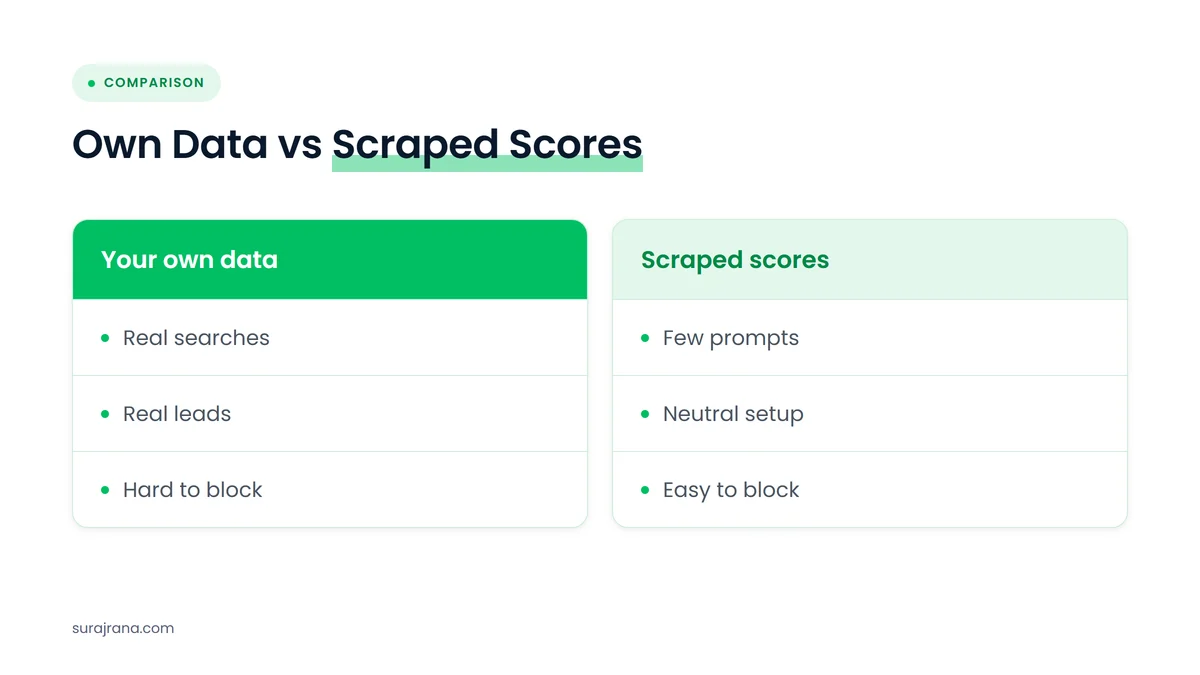
I’m not against trackers. They are useful for spotting trends and checking how AI tools describe a business. My problem is with treating one tracker’s score as the truth. A tracker asks a handful of prompts from a neutral setup. Real customers ask in their own words, signed in, on their own phones. I made a similar argument about Personal Intelligence in AI Mode: the more Google personalizes and protects AI Mode, the wider the gap between the tracker’s view and the customer’s view.
This is the same reason I wrote about why I stopped selling keyword rankings. A position was always a sample. An AI visibility score is a smaller, noisier sample, and Google is now making that sample harder to collect. If a tool’s coverage drops because of verification checks, the score can fall when nothing changed for the business.
Agencies feel this first. Google’s goto redirect links have already caused rank tracker headaches this year, and my white-label team at whitelabelseo.co.in wrote about what to tell clients when rank trackers show Google redirect links. I expect more conversations like that as Google tightens access to AI Mode.
How would I measure AI visibility instead?
I’d start with data that comes from real searchers and real customers, then use trackers as a second opinion. That means Search Console first, then leads, then branded demand, and only then any AI visibility score. Each layer checks the others, and none of them depends on scraping Google.
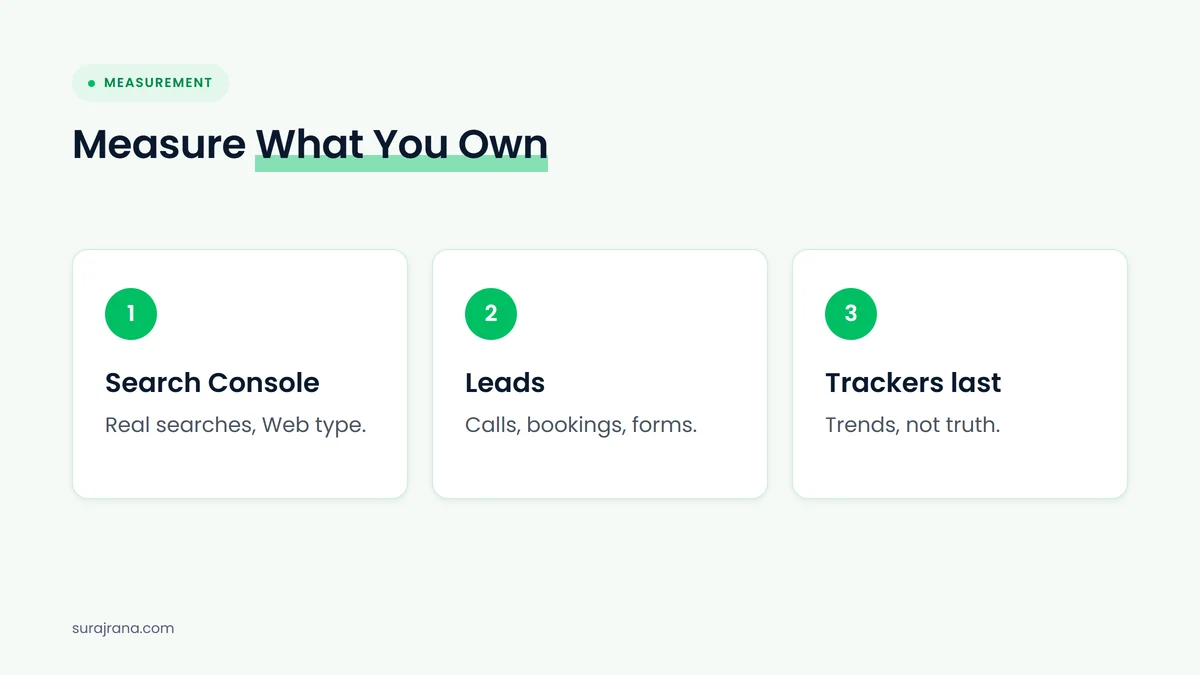
- Search Console. Google says sites that appear in AI features are included in the Performance report under the “Web” search type, per its AI features documentation. That data comes from real searches. I’ve also written about the Search Console report for AI Overviews.
- Leads. Calls, bookings and form fills from organic search and the Business Profile, tracked month over month. Dental Master Media has a guide on tracking calls and bookings from a dental website.
- Branded demand. Searches for your business name in Search Console, a rough signal of whether people know you and look for you.
- Trackers last. Use AI visibility tools for trends and for reading how AI describes you, not as the headline number.
None of this needs a special tool, and it holds up whatever Google does next with verification.
What does this mean for dental practice owners and agency owners?
For practice owners, it means the AI visibility score in a monthly report deserves a second look. Ask where the number comes from and whether it matches calls and bookings. For agency owners, it means reports built on scraped AI data need a backup plan, because access to that data is getting harder.
A dental practice doesn’t need to understand bot detection. It needs to know whether patients are finding it and booking. If a report shows AI visibility going up while new-patient calls stay flat, I’d trust the calls. If AI visibility drops one month with no change in calls, I’d ask whether the tool lost access before I’d panic.
For agencies, the safer move is to put first-party data at the top of every report now, before a tracker breaks and a client asks why the score fell. That conversation is far easier when the client already measures success by leads.
What doesn’t this news mean?
It doesn’t mean Google is shutting down AI visibility tools, and it doesn’t change how websites rank. This is a test seen by some users, with no Google statement. It also doesn’t mean searchers will abandon AI Mode, since the prompt lets them carry on with the search. Any bigger claim than that goes past the evidence.
I’d also be careful about reading too much into one screenshot. Google runs many small tests, and plenty never ship. My argument doesn’t depend on this prompt surviving. It rests on the wider direction: Google keeps adding verification, and its policies already oppose rank-check scraping. Measuring with your own data makes sense either way.
What would I check this month?
I’d check whether reporting starts with first-party data, whether AI visibility numbers come with a clear method, and whether there is a plan if a tracker loses access. These checks are cheap and quick. They also make the business less exposed to any single tool or any single Google test.
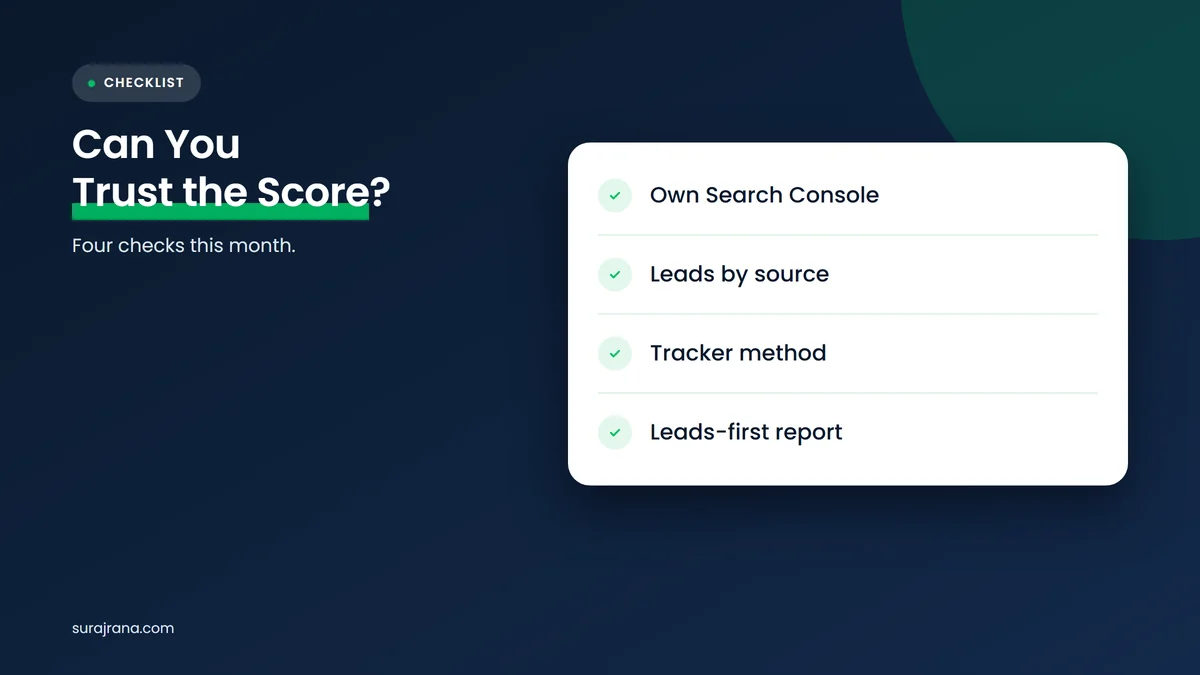
- Search Console access: Do you own the property, and does someone review the Performance report each month?
- Lead tracking: Are calls, bookings and forms counted by source, not guessed?
- Tracker method: Does your AI visibility tool say which prompts it runs, how often, and from where?
- Report order: Does the monthly report lead with leads and Search Console, with tracker scores below them?
Frequently asked questions
What is the “Continue with this search?” prompt in Google AI Mode?
It is a confirmation screen some AI Mode users have seen before a search runs. It asks “Continue with this search?” and warns that malicious queries could result in unsafe or harmful actions. Search Engine Roundtable reported it on November 6, 2026. Google has not explained it.
Is Google blocking bots and scrapers from AI Mode?
Google hasn’t said that about this prompt. Barry Schwartz suggested it could be one reason, and Google has tested other human-verification steps in 2026. Google’s spam policies already say scraping results for rank-checking without permission violates its rules, so more checks would fit that position.
Does the prompt affect rankings or AI Mode visibility?
There is no sign it changes how websites rank or which businesses AI Mode mentions. It adds a step for the searcher, who can choose to continue. The bigger effect may be on tools that collect AI Mode answers automatically, if checks like this make that harder.
Can I still trust AI visibility tracking tools?
Use them as a second opinion, not the main measure. They are helpful for trends and for seeing how AI tools describe you. But they sample a few prompts from a neutral setup, and verification steps can reduce their coverage. Search Console and real leads are a steadier base.
How should a business measure visibility in AI Mode?
Start with Search Console, because Google says AI feature appearances are included in the Performance report under the Web search type. Then track calls, bookings and form fills, and watch searches for your business name. Use AI visibility tools last, for context.
My bottom line on the AI Mode “Continue” prompt
One prompt in one screenshot isn’t a revolution, but it points the same way as everything else Google has tested this year: more checks between a query and an answer. I think that makes scraped AI visibility scores shakier, and I’d build reporting on data Google can’t take away from you, which is your own.
If you want more on this, read my take on Personal Intelligence in AI Mode and why I stopped selling keyword rankings. This is how I approach reporting in my own dental SEO services, and you can find more of my thinking on surajrana.com.
Not sure what your AI visibility numbers really mean?
I’m Suraj Rana. If your reports show scores but you can’t tie them to calls or bookings, I’m happy to look at them with you. Through my dental SEO services and Dental Master Media, my team and I build reporting around real leads and data you own.
Sources
- Search Engine Roundtable (Barry Schwartz), “Google AI Mode Asking Searchers To Continue With This Search”, November 6, 2026. https://www.seroundtable.com/google-ai-mode-continue-with-this-search-42475.html
- Search Engine Roundtable (Barry Schwartz), “Google Search Tests Sign In To Verify Searches Are Human (Not Captcha)”, August 3, 2026. https://www.seroundtable.com/google-search-sign-in-verify-41808.html
- Search Engine Roundtable (Barry Schwartz), “Google: Verifying Your Request To Continue To Search Results”, September 1, 2026. https://www.seroundtable.com/google-search-verifying-your-request-continue-41985.html
- Google Search Central, “Spam policies for Google web search”, accessed November 9, 2026. https://developers.google.com/search/docs/essentials/spam-policies
- Google Search Central, “AI features and your website”, accessed November 9, 2026. https://developers.google.com/search/docs/appearance/ai-features

My name is Suraj Rana, and I am a seasoned Dental SEO Expert with extensive experience in the Dental SEO industry. Leveraging my deep knowledge and expertise, I help dental practices enhance their online visibility and attract more patients.