
Quick answer: Google now lets owners switch individual booking links on or off from the Google Business Profile dashboard, according to a November 23, 2026 report. I think a dental practice should keep its own booking link plus only the third-party links it has tested, and switch off any link that sends new patients to a page it can’t check.
Key takeaways
- A booking link on a Google Business Profile is the button that sends a patient to a page where they can book an appointment, and it can come from the practice or from a third-party booking partner.
- On November 23, 2026, Search Engine Roundtable reported that Google lets owners choose which appointment and reservation links show, including for clinics.
- Two weeks earlier, on November 9, 2026, the same site reported that Google was adding “Book Online” links to some profiles on its own, and some of those links returned a 500 error.
- I think the right setup is your own booking link first, then only the third-party links you have tested yourself.
- I would not switch every third-party link off, because Google says partners can still reach patients who have saved details on those apps.
- A booking link is a conversion tool, not a ranking tool: Whitespark’s experts ranked the appointment URL 146th of 187 local pack factors.
What is a booking link on a dental practice’s Google Business Profile?
A booking link on a dental practice’s Google Business Profile is a button that opens a page where a patient can request or book an appointment, shown in Google Search and Google Maps next to the call and directions buttons. The link can point to the practice’s own website or to a third-party booking partner that the practice has signed up with.
Google Business Profile Help lets a practice add up to 10 links per category in the links section. It also says third-party booking providers can’t be deleted by hand from the profile settings, only hidden with a switch under Booking. That is why the news below matters: until now, a practice that disliked a link on its profile had a thin set of options.
What did Google change about Google Business Profile booking links?
Google made two changes to Google Business Profile booking links in November 2026: it started showing “Book Online” links on some profiles without the owner setting them up, and it then gave owners a switch for each booking link. The first was reported on November 9, 2026 and the second on November 23, 2026, both by Barry Schwartz at Search Engine Roundtable.
What does the new booking link control do?
The new booking link control lets a business owner turn individual booking partners on or off from the Google Business Profile dashboard, with no support ticket and no contact with the partner. Search Engine Roundtable reported on November 23, 2026 that it covers appointments and dining reservations and is the same control Google added for restaurant ordering links about a month earlier.
Lisa Landsman announced the change on LinkedIn, and Search Engine Roundtable reported that Google names clinics among the businesses it applies to. Google’s post also suggests checking the Booking section before the holiday rush so each link leads to accurate availability. I couldn’t find the new control described on a Google Business Profile Help page yet, so I’m relying on that announcement as reported.
Why did Google Business Profile start showing “Book Online” on its own?
Google Business Profile started showing “Book Online” on its own because Google appears to be turning existing links, such as a contact page, into booking buttons. Search Engine Roundtable reported on November 9, 2026 that Brandon Schmidt, Joy Hawkins and Syed Amir had each seen it on more businesses, and that Schmidt saw links to Google’s own reserve program return a 500 error.
Barry Schwartz tested one on his own profile and it worked, taking him to a contact and scheduling page, and the report includes no statement from Google. I covered what an unchecked profile does to a practice in my post on why most dental practices underuse their Google Business Profile, and these two stories are a live example.
Which Google Business Profile booking links should a dental practice keep?
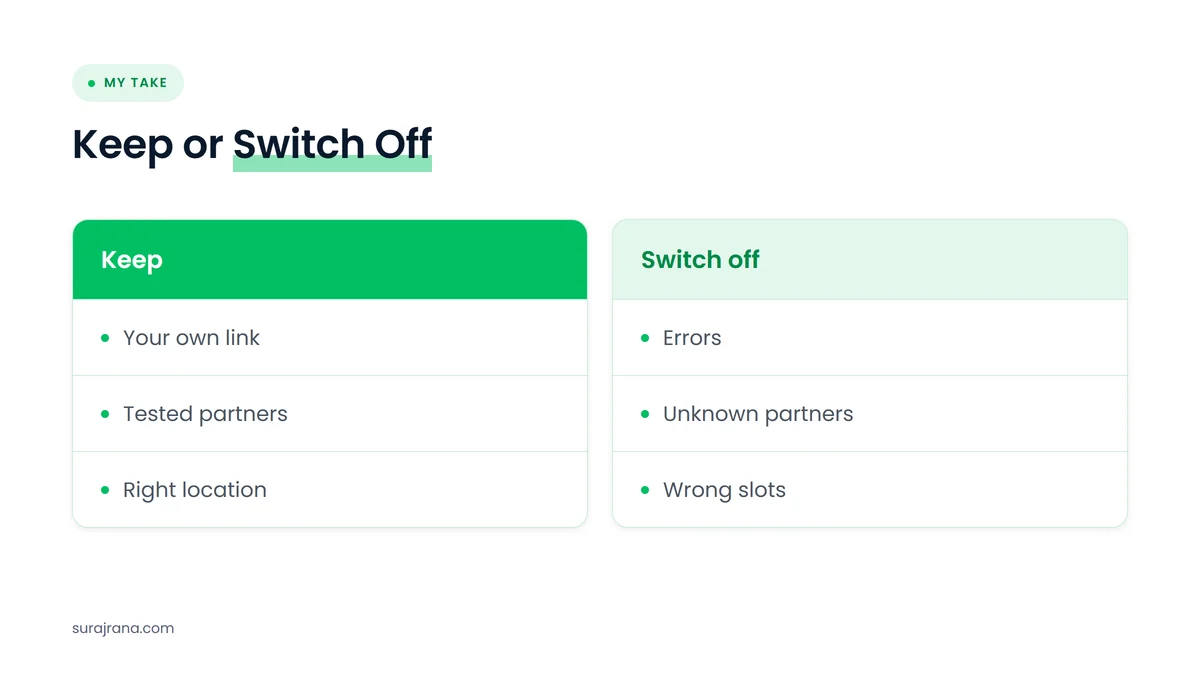
A dental practice should keep its own booking link and any third-party booking link it has tested end to end, and switch off any link whose page, calendar or availability it can’t verify. That is my opinion, and it rests on one test: a new patient who taps the button must land somewhere that lets them book a real appointment.
Why do I keep only booking links I can test?
I keep only booking links I can test because a broken or inaccurate Google Business Profile booking link costs the practice a new patient at the exact moment the patient decided to book. The November 9, 2026 report showed that links can return a 500 error, and a link that shows slots the practice doesn’t have creates a no-show before the first visit.
A dental practice owner can run the test in about 5 minutes: open the profile in Google Search on a phone, tap each booking link and try to book. If a link fails, shows the wrong location or asks for details the practice never uses, I would switch it off and fix the cause before turning it back on.
Why don’t I switch every third-party link off?
I don’t switch every third-party link off because Google itself says keeping several booking partners can still help capture customers who have saved details or loyalty points on those apps, as Search Engine Roundtable reported on November 23, 2026. Those patients are unlikely to type a practice’s website address when a saved booking app is one tap away.
The trade-off is control. A partner link that the practice pays for, has set up and checks each month is an asset. A partner link nobody remembers signing up for is a risk. Google Business Profile Help also says performance data isn’t available for custom links, so a practice can lose sight of how many patients a link brings.
Which booking link facts matter for a dental practice?
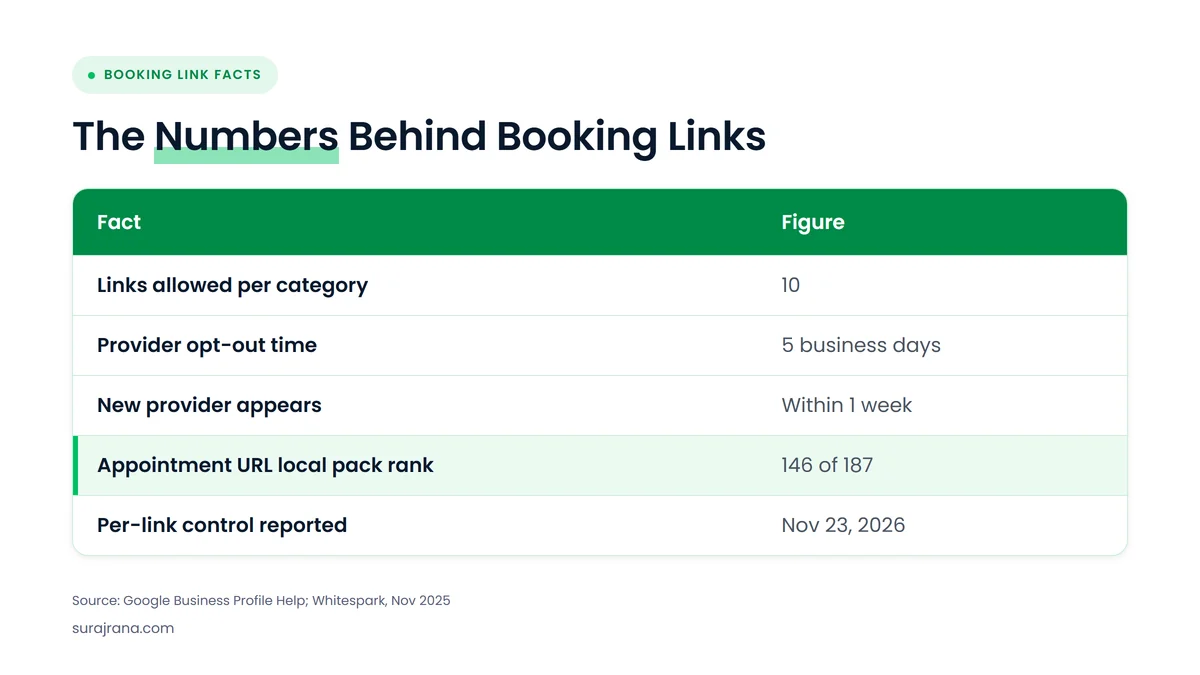
The booking link facts that matter for a dental practice are the number of links allowed, how fast a partner must act on a removal, how long a new partner takes to appear, and how little a booking link adds to local ranking. The table below collects them with the date and source for each.
| Booking link fact | Figure | Source and date |
|---|---|---|
| Links allowed per category | 10 | Google Business Profile Help, “Manage your local business links” |
| Time a third-party provider has to process an opt-out | 5 business days | Google Business Profile Help, “Manage your local business links” |
| Time for a new provider to appear on the profile | Within 1 week | Google Business Profile Help, “Set up bookings through a provider” |
| Appointment URL rank for local pack and Maps | 146th of 187 (score 56) | Whitespark, “2026 Local Search Ranking Factors”, November 6, 2025 |
| Automatic “Book Online” links first reported | November 9, 2026 | Search Engine Roundtable |
| Per-link control for appointments reported | November 23, 2026 | Search Engine Roundtable |
The table shows that booking links are easy to add and slow to remove, and that Google’s own setup times are measured in days, not minutes. The 5 business days and 1 week figures come from Google Business Profile Help, and the ranking figure comes from a survey of 47 local search experts.
What would I do with my Google Business Profile booking links this week?
I would do 4 things with my Google Business Profile booking links this week: check what is live, test every link, switch off what fails and write down who owns each link. The whole job takes under an hour for a single-location dental practice.
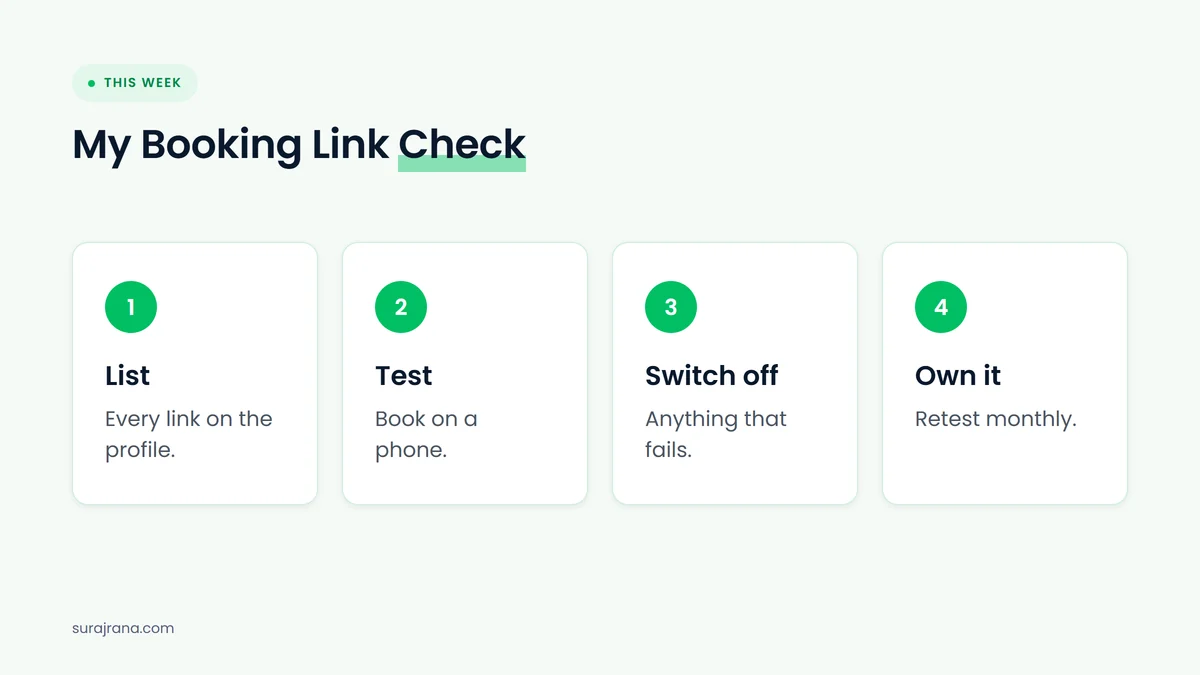
The 4 steps I would take on a dental Google Business Profile, in order, are listed below.
- Open the Booking section of the profile and list every booking link, including any “Book Online” button you did not add.
- Test each booking link on a phone, from a patient’s side, and note what each one opens.
- Switch off any booking link that errors, shows the wrong location or can’t be checked, and keep your own booking link on top.
- Assign one owner for the profile’s booking links and retest them once a month, because Google can change what shows.
Because the control is new, I would also confirm the switch works on your own profile after you use it, since a rollout can behave differently from one profile to the next.
Do booking links affect Google Business Profile rankings?
No, booking links do not move a Google Business Profile up the local pack in any way I can show, but they do help patients act once they find the practice. Whitespark’s experts ranked the presence of an appointment URL 146th of 187 local pack factors, which is why I treat it as a conversion tool.
That ranking is the reason I would spend 1 hour on booking links, not 1 week. The fields that decide ranking, such as the primary category, hours and reviews, are covered in my opinion on which Google Business Profile fields matter most, and the booking link sits behind them.
Frequently asked questions
Can a dental practice turn off a booking link on its Google Business Profile?
Yes, a dental practice can turn off a booking link on its Google Business Profile. Google Business Profile Help describes turning off the switch next to the provider under Booking and then selecting Confirm, and Search Engine Roundtable reported on November 23, 2026 that owners can now choose which appointment links appear.
Does turning off a booking link delete the partner?
No, turning off a booking link hides the partner on the profile but does not delete the account. Google Business Profile Help says third-party providers can’t be deleted by hand, and that full removal means contacting the provider, which must process an opt-out within 5 business days.
There is a “Book Online” button you never set up because Google appears to be creating it from existing links. Search Engine Roundtable reported on November 9, 2026 that adding a website’s contact page in the booking link section can trigger the button, and that Google had made no statement.
How many booking links can a Google Business Profile have?
A Google Business Profile can have up to 10 links per category, according to Google Business Profile Help, and booking an appointment is one of those categories. A dental practice rarely needs more than 1 or 2.
Should a dental practice use its own booking link or a third-party partner?
A dental practice should put its own booking link first and add a third-party partner only when it checks the partner’s page and availability itself. Third-party links can reach patients with saved details on those apps, but the practice loses control of what the patient sees.
Where do I land on Google Business Profile booking links?
I think Google giving owners a switch for each booking link is a good change, and the worst thing a dental practice can do with it is nothing. Keep your own booking link, keep only the third-party links you have tested, and switch off anything you can’t check, because a patient who taps a broken button rarely tries a second time.
I’m Suraj Rana, and I check booking links as part of the local visibility work in my dental SEO services. If you’d rather have a team handle it, Dental Master Media manages Google Business Profile for dental clinics as part of its local SEO work.
Want a second opinion on your booking links?
I’m Suraj Rana, founder of Dental Master Media. If you aren’t sure what your Google Business Profile booking links open, I’m happy to look at them with you and tell you which I would keep and which I would switch off.
Sources
- Google Business Profile Help, “Manage your local business links”, accessed November 28, 2026. https://support.google.com/business/answer/6218037
- Google Business Profile Help, “Set up bookings through a provider”, accessed November 28, 2026. https://support.google.com/business/answer/7475773
- Search Engine Roundtable, “New Google Business Profiles Controls For Appointments & Dinner Reservations”, November 23, 2026. https://www.seroundtable.com/google-business-profiles-appt-book-dinner-reserve-42605.html
- Search Engine Roundtable, “Google Adding Booking Links To Business Profiles Automatically?”, November 9, 2026. https://www.seroundtable.com/google-business-profiles-adding-booking-links-42477.html
- Search Engine Roundtable, “Google Business Profiles Finally Adds Third-Party Ordering Controls”, October 28, 2026. https://www.seroundtable.com/google-business-profiles-ordering-controls-42411.html
- Whitespark, “2026 Local Search Ranking Factors”, November 6, 2025. https://whitespark.ca/local-search-ranking-factors/

My name is Suraj Rana, and I am a seasoned Dental SEO Expert with extensive experience in the Dental SEO industry. Leveraging my deep knowledge and expertise, I help dental practices enhance their online visibility and attract more patients.